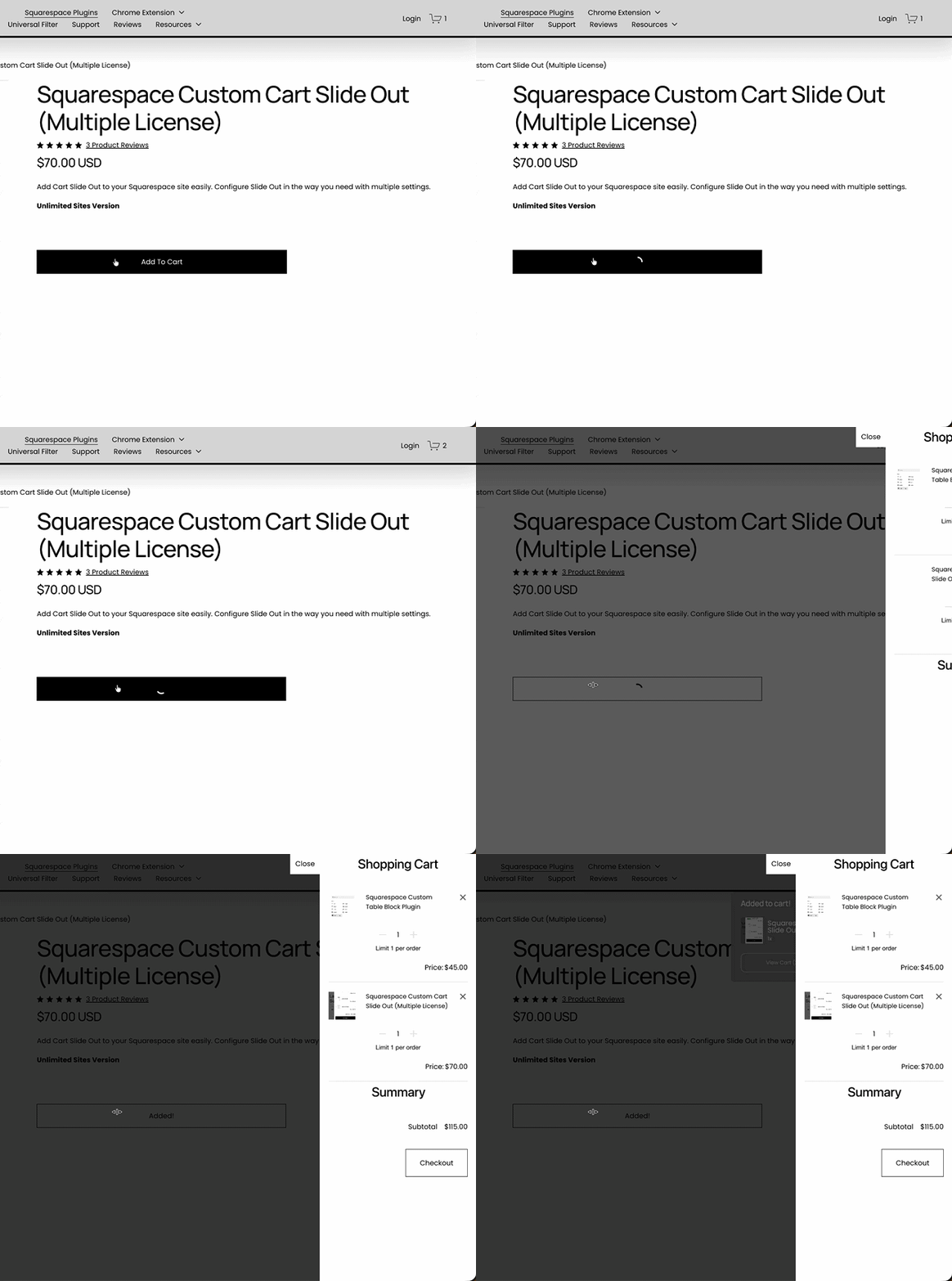
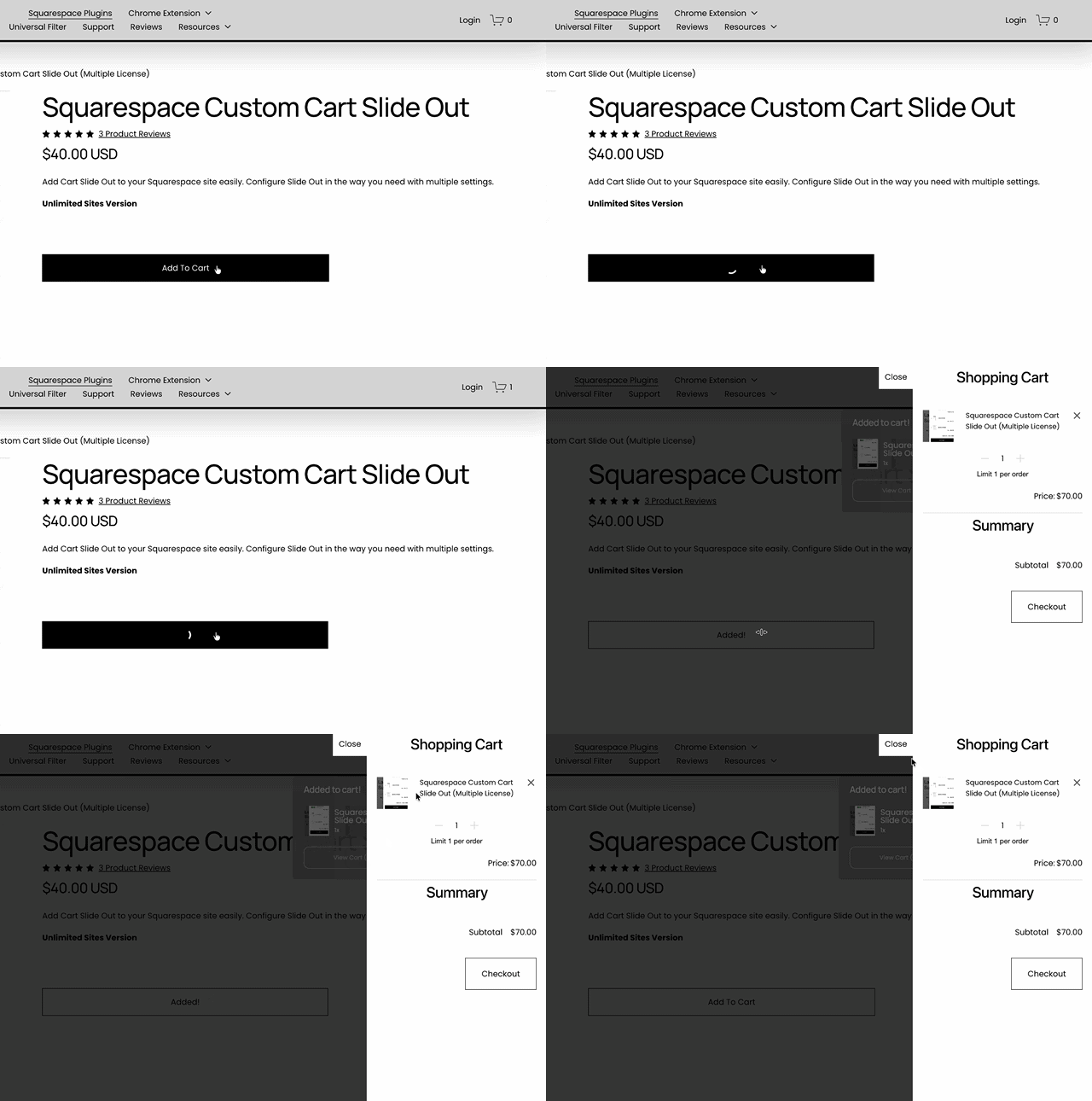
 Image 1 of 3
 Image 2 of 3
 Image 3 of 3
What You Need to Know
-
Platform Compatibility: Custom Cart Slide Out plugin works on Squarespace 7.0 and 7.1.
Price: One time fee of $40 USD for single website
One time fee of $70 USD for unlimited sites
NOT a subscriptionSupport: Customer support is included in the one-time fee you pay
-
Custom Cart Slide Out only works in Squarespace.
Custom Cart Slide Out only applies to the shopping cart drawer — it can NOT change the data on the shopping cart nor the check out process.
Single license only works for single website.
To use the plugin for multiple sites, get the Multi license.
-
There is NO coding involved in installing and using the Custom Cart Slide Out plugin — coding knowledge is NOT required.
You just need to copy/paste the installation code one time to activate it.
Styling use custom CSS but you simply set the values you want in the code provided. And we’ll guide you through it if you need help.
-
You just need to copy/paste the installation code one time to activate and load the custom cart slide out to your shopping cart.
The installation code will be emailed to you when you purchase the plugin.
And if you need help installing or setting up, contact us and we’ll get you sorted.
-
Customer support is included in the one-time fee.
If you need help, you ran into an issue, or have any questions, contact us.
Custom Cart Slide Out Styling
How to Style Custom Cart Slide Out
Just paste the code below in the Header or Footer injection, change the value of the setting you want to change and save.
You do not need to copy all the settings in the code below, you can copy only the settings you want to change or remove those that you don’t need from the configuration to keep the code concise.
<script>
window.customCartDrawer = {
        showOnHover: false,// show Drawer panel on cart icon or link hover
        position: 'right', //right, left
        width: '360px', //css valid drawer width
        height: '100%', //css valid drawer height
        margin: '0', // css valid margin for drawer container
        effect: 'slide', //slide, fade
        effectDuration: '0.4s', //appearing effect duration in ms or s
        effectEasing: 'cubic-bezier(.55,0,.1,1)', //valid css easing, like: ease, linear, cubic-bezier
        backgroundColor: '#fff', //drawer background color
        color: '#000', //drawer main text color
        basicFontSize: '13px', //drawer base font size
        basicFontFamily: '',//set the drawer font
        useCustomScrollbar: true, //use custom scrollbar, works in webkit browsers only
        scrollbarTrackColor: '#ccc', //webkit browsers scrolltrack color
        scrollbarThumbColor: '#000', //webkit browsers scrollthumb color
        scrollbarWidth: '4px', //webkit browsers scrollbar width
        overlayColor: 'rgba(0, 0, 0, 0.6)', //overlay color to fade main site content
        closeIconSize: '22px', //drawer close icon size
        closeIconColor: '#000', //drawer close icon color
        closeIconBackgroundColor: '#fff', //drawer close icon background
        closeIconPosition: 'left', //left, right
        closeIconTop: '0px', //css top position of icon, 0 is default
        closeIconView: 'outside', // available inside, outside. outside is default
        closeIconText: 'Close',//if some text here, no icon showed
        headerText: '', //set the text of Cart Header
        headerColor: '#000', //header text color
        headerFontSize: '30px', //header text font-size
        headerFontFamily: '',//set the Cart Header font-family
        headerTextAlign: 'right', //header text-align: left, center, right
        headerMargin: '0', // valid css margin
        headerTextTransform: 'none', //set valid css text-transform: uppercase,capitalize,lowercase
        itemText: '',// set own Item text
        quantityText: '',// set own Quantity text
        productFontSize: '',// set product title font size
        productFontFamily: '',// set product title font-family
        productColor: 'inherit',//set product title color
        variantFontSize: '',//set product variant font size
        variantFontFamily: '',//set product variant font-family
        variantColor: 'inherit',// set variant options colors
        pricesPreText: 'Price:',//add some text to prices
        pricesFontFamily: '',//price font-family
        pricesFontSize: '',//price font size
        pricesColor: 'inherit',//price color
        subTotalAlign: 'right', //subtotal text-align
        subTotalFontSize: '16px', //subtotal font-size
        subTotalFontFamily: '',//add subtotal font-family
        subTotalText: '',// set the subtotal text
        subTotalColor: '',// set the subtotal text color
        checkoutButtonText: '', // set the text of checkout Button
        checkoutButtonFontSize: '13px', //checkout button font-size
        checkoutButtonFontFamily: '',//add checkout button font-family
        checkoutButtonColor: '#fff', //checkout button color
        checkoutButtonBackgroundColor: '#000', //checkout button background color
        checkoutButtonAlign: 'right', //checkout button align
        showIfCartUpdated: true, //show drawer if product was added/removed from cart
        restrictShowOnUpdateUrls: '/url-1, /url-2', // urls where you do not want Cart Drawer appear after each cart update
        closeOnOverlayClick: true, //close drawer if site or overlay clicked
        onUpdateFunction: null //function called on each cart update and on initial build, has drawer YUI element and cart json data in callback: function(el,data){}
    };
</script>
Customizing the Shopping Cart Drawer
How to customize the Squarespace shopping cart drawer?
What if you want to replace the Checkout button in the shopping cart window with your own custom button, or add a special button that redirects user to a custom page where you can show them deals, discounts or special offers, or maybe add a list of limited offers to the cart window itself.
You can’t do that with Squarespace’ default shopping cart drawer but you can with Custom Cart Slide Out’s onUpdateFunction setting.
How does it work?
Because onUpdateFunction runs when shopping cart drawer is initialized, it runs each time customers add/remove/edit products on the shopping cart keeping up with the changes customer make on their cart. So, for example, you have different offers for different products, your customers will see those offers depending on the product they add, change or remove from their cart.
Here’s an example of the onUpdateFunction used to replace the Checkout button with a custom button that redirects customer to another page before checking out.
onUpdateFunction: function(drawer, data) {
	var checkout = drawer.one('.cart-checkout');
	var checkout_button = drawer.one('.cart-checkout-button');
	checkout_button&&checkout_button.hide();//hiding system checkout button
	if(checkout && !checkout.one('.custom-button')){
		checkout.append('<a style="margin-top:20px" href="/your-custom-tip-url" class="sqs-editable-button cart-checkout-button custom-button"><span>CHECKOUT</span></a>');//creating custom button as link with buttons classes
	}
}