HELP: Universal Filter and Lazy Summary are not Working on Summary Blocks
What’s the Issue?
The Lazy Summary or Universal Filter stopped working on summary block
The summary block is not showing the changes I applied to Universal Filter or Lazy Summary plugin
What You Should Do
If you’re experiencing the issue, resave your summary block by changing any summary block setting. This will upload or update your summary block data on our server.
UPDATE 1:
Try these Fixes:
1. Reselect the collection in your summary block setting and hit Save.
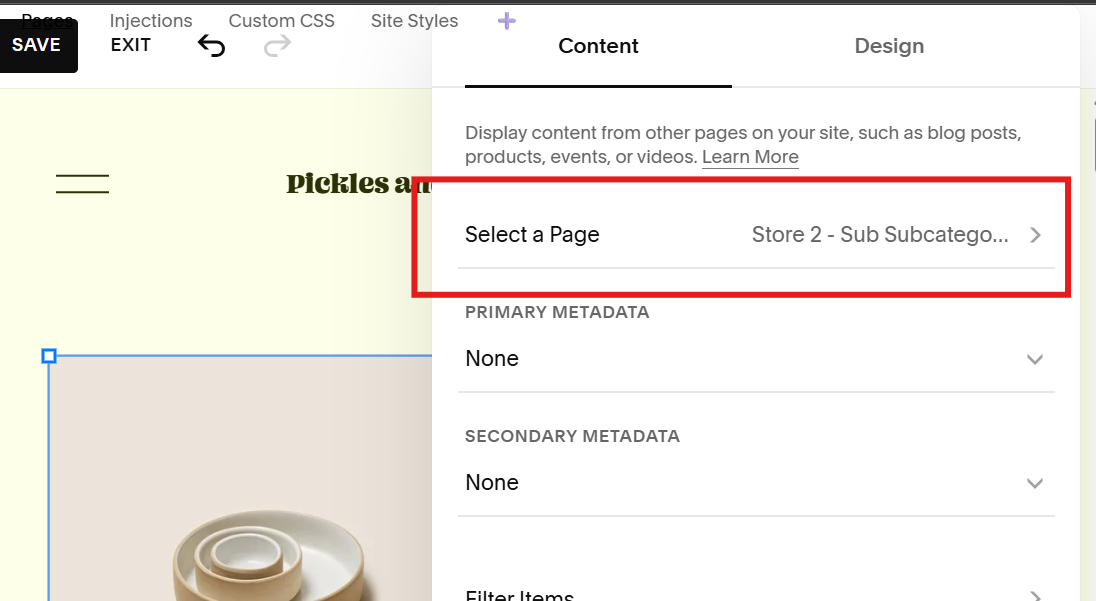
For Lazy Summary Plugin
2. Reselect or reactivate your Lazy Summary setting and hit Save. (Skip this if you don’t have Lazy Summary plugin.)
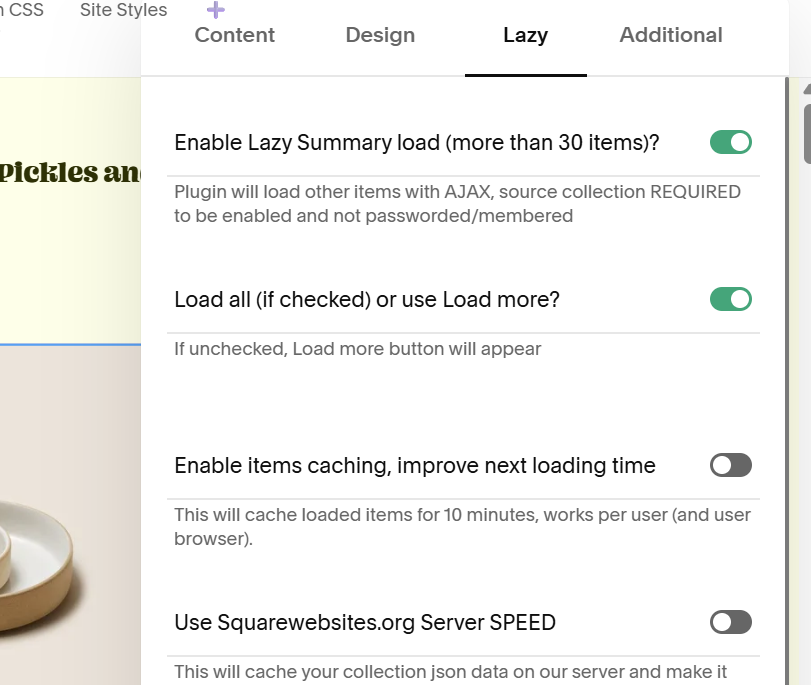
For Universal Filter Plugin
2. Set the Primary and Secondary Metadata to Categories and Tags to make the data available to the filter plugin.
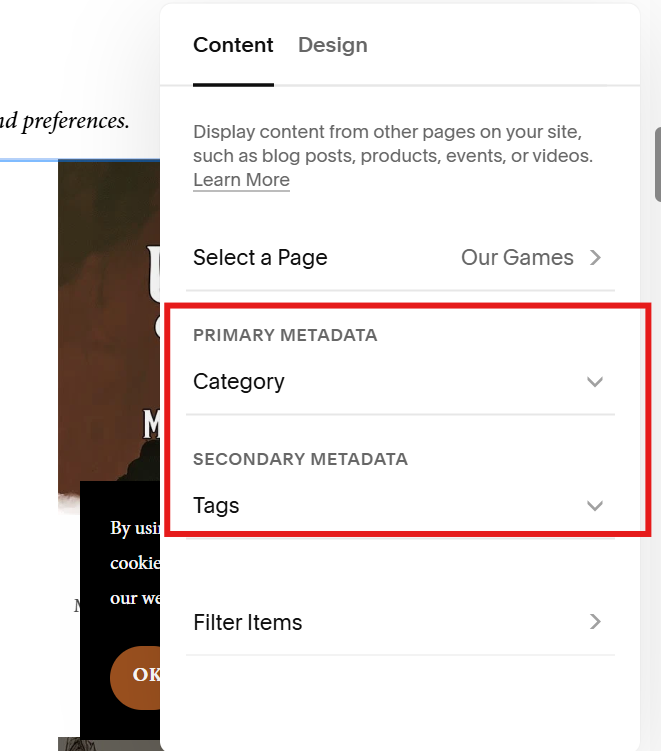
This will display the tags and categories below the titles. But if you want to keep them hidden, paste this CSS code above the filter codes in the Page Header Code Injection.
<style>
  .sqs-block[data-definition-name="website.components.summary"] .summary-metadata-container{
    display: none;
  }
</style>
If that didn’t worked, contact us. Tell us about the setting change or invite us as Content Editor to check your settings.
What’s Happening
The recent Squarespace update to summary blocks caused errors for Universal Filter and Lazy Summary plugins. Either the plugins stopped working or they aren’t updating.
Why
Some of the critical information about the summary block is now hidden or inaccessible such as which collection is summary pulling data from, is it filtered by category or tags, and more.
What We Did
We moved the storage of the information settings to our server and use cache to update that information. We’re still looking for a better solution forward but this works for now.
UPDATE 2:
What It Means For You
The Header Text will be used for the Lazy Summary’s Additional settings. See here for example.
The additional settings you add in the Header Text will flash above your summary block but it will be hidden, except when you’re using the Carousel layout.
Use this CSS to hide the text. Paste it in the Custom CSS settings.
.summary-block .summary-heading:not(.lzs-inited){
  white-space: nowrap;
  overflow: hidden;
  text-overflow: ellipsis;
  max-width: 300px;
  visibility: hidden;
}
2. If you experience a delay when changing and updating your summary block it’s because of the 10-minute cache time. Try viewing your page on an incognito browser to workaround the delay.
We’ll post an update on this issue when we find a more permanent solution. Thank you for your patience!
Sincerely,
The SquareWebsites Team