Redirect Blog Clicks
How to Redirect Blog Pages to Other Pages or External Links
Step 1. Open Page Settings
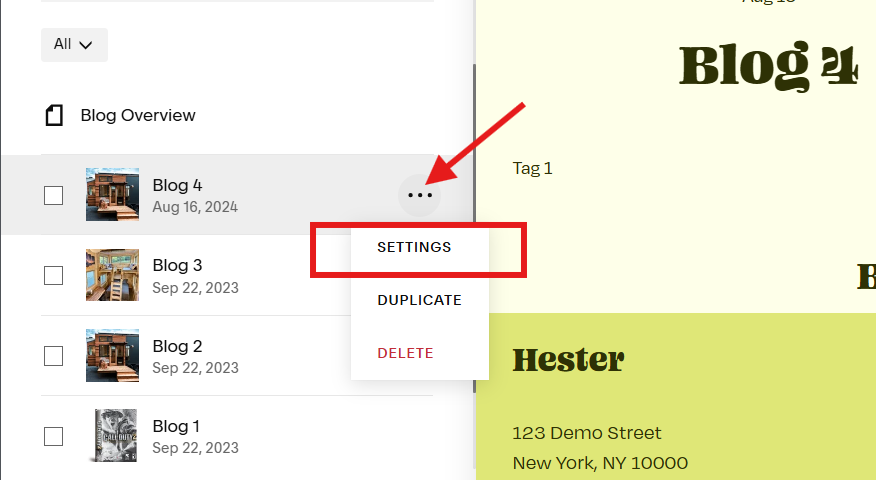
Click the blog page and click the o o o icon to open settings menu. Then click SETTINGS.
Step 2. Source URL
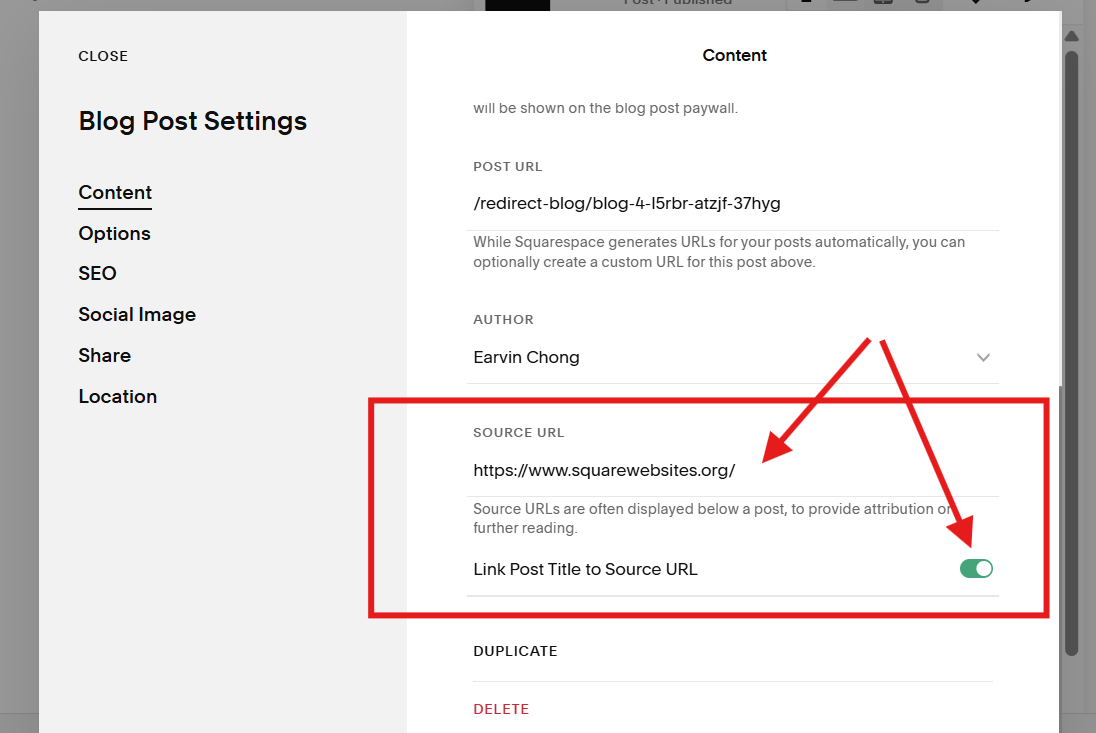
Scroll down near the bottom and paste your link (internal or external) in the SOURCE URL space.
Then click the Link Post Title to Source URL button to turn on the redirect (green means on).
Step 3. Save
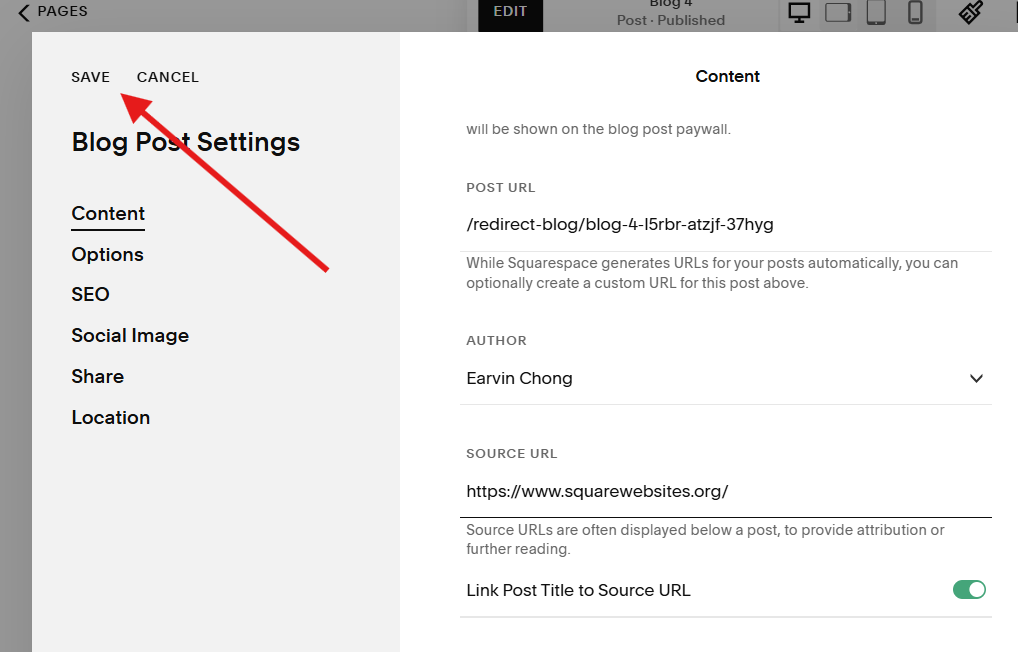
Click the SAVE button on the top left corner of the window to save your redirect link and setting.
What is Redirect Blog Clicks?
Redirect Blog Clicks lets you send visitors to any URL when they click a blog post title, instead of opening the standard blog post page on Squarespace. It is perfect when you want to use a blog layout as a visual index, but the real content lives on another page or site.
When should you use this feature?
Use this option when your blog is acting as a directory or card grid and you do not want to maintain full posts for every item. Common use cases:
Blog cards that should open product pages
Portfolio items that should open case-study pages
Short announcement posts that should jump to a long-form guide
Blog posts that should open an external article, course, or client portal
This keeps your blog layout clean while sending visitors straight to the most useful destination.
How it works in practice
Instead of editing code or server rules, you set a redirect URL for each blog post you want to control. When someone clicks that post from the blog layout, they are taken directly to the redirect URL. Posts without a redirect continue to behave normally and open the standard blog view.
Benefits for visitors
Fewer extra clicks to reach the real content
Clear, predictable behavior from each blog card
A smoother flow from “browse” to “action”
Visitors feel like every click does something intentional, instead of landing on a thin or placeholder post.
Benefits for your content and SEO
You avoid duplicating the same content across multiple pages
You can keep one strong, complete page for each topic
Your blog index stays focused on discovery, not maintenance
Using redirects this way lets you design your blog as a flexible hub, while your deepest content lives on the single best page for each topic.
FAQs
Can I redirect only some posts?
Yes. You choose which posts get a redirect. Any post without a redirect set will continue to open as a normal blog post.
Does the change affect existing URLs?
No. Existing blog post URLs still work. The redirect only affects what happens when someone clicks the post from the configured layout.
Is the action the same as deleting a post?
No. The post still exists on your site. You are only changing the click behavior from selected layouts.
Can I update or remove a redirect later?
Yes. You can change or remove the redirect URL at any time, and future clicks will follow the new behavior.